Plan
Issues, sub-issues, milestones and components, in a list or on a board, with filters you can save as views. A planner puts the day’s work on a calendar.
- Tracker
- Planner
- Team planner
Tridge is one workspace for your team’s issues, documents and conversations. They point at each other, the keyboard reaches the things you do all day, and the whole of it runs on an open-source core.
Sign in to TridgeSee what’s inside
Access is by invitation today. Ask for a workspace.
One workspace
Most teams keep the plan in one tool, the writing in another and the talking in a third, and lose the thread between them. Tridge holds all three side by side, with the same people, the same projects and one sign-in.
Issues, sub-issues, milestones and components, in a list or on a board, with filters you can save as views. A planner puts the day’s work on a calendar.
Documents that several people edit at the same moment, kept in teamspaces beside the projects they describe. A drive for files, and cards for records your team defines.
Channels, direct messages and threads next to the work they are about. One Inbox gathers what needs you and lets you narrow it to what is addressed to you.
Tracker
A project holds issues, sub-issues, milestones, components and templates. Group the list the way you think, switch to a board, or save a filter as a view the team can open.
How the tracker works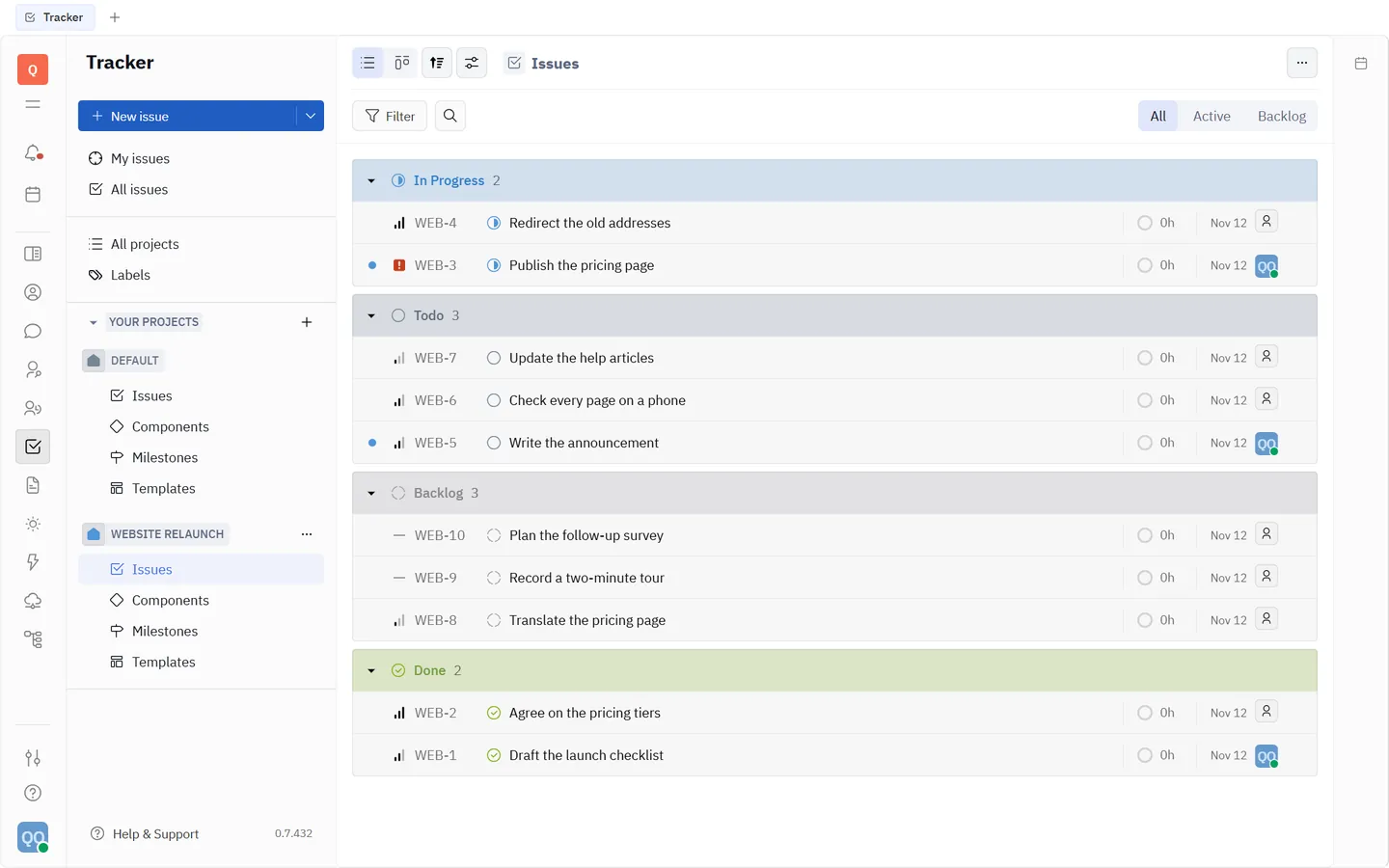
Documents
Documents live in teamspaces, in the same workspace as the issues they explain. Open a page with a colleague and you both type in it at once.
How documents work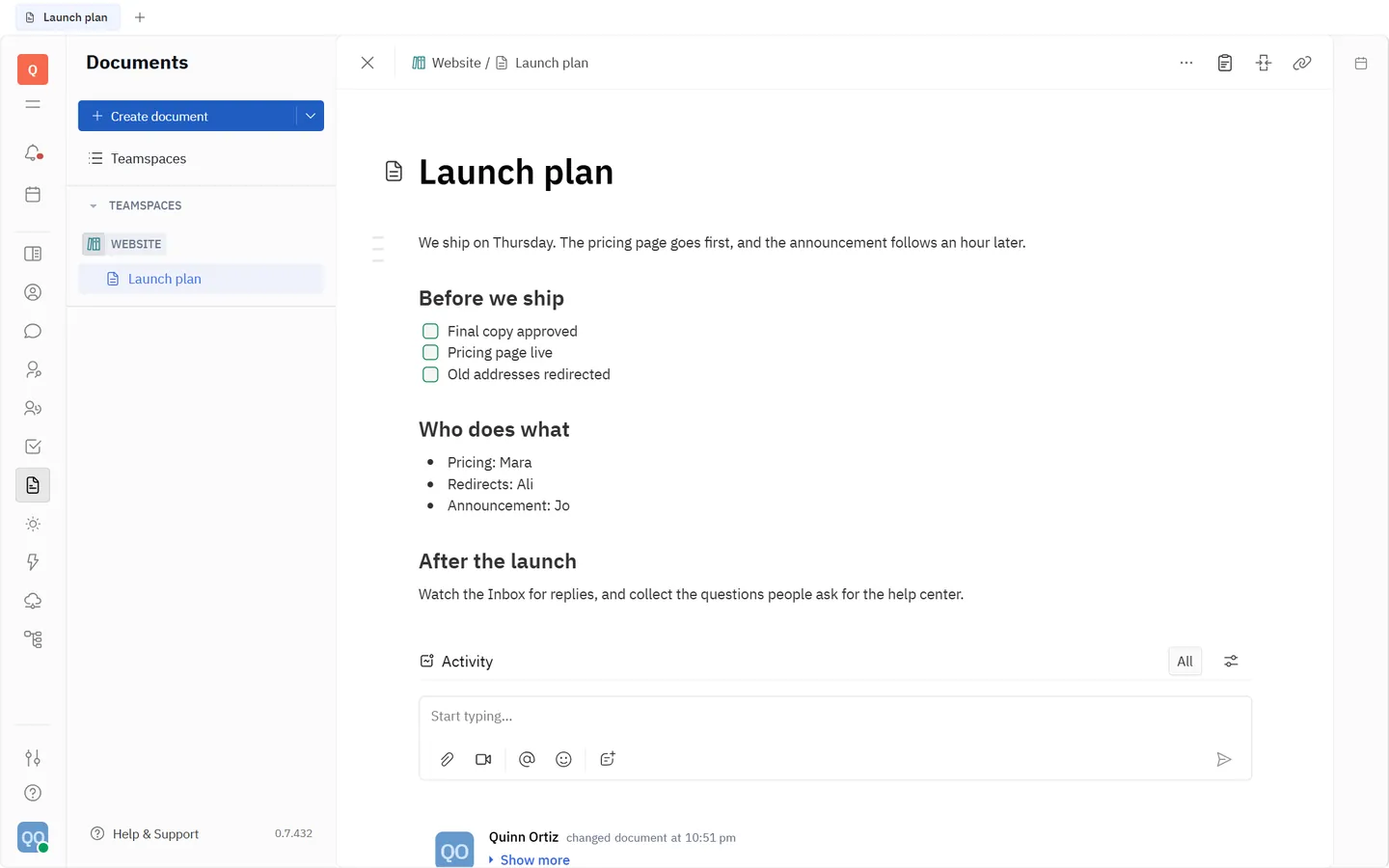
Chat and Inbox
Channels, direct messages and threads cover the conversation. The Inbox collects what needs you from every part of the workspace, and its filters are always in view.
How the Inbox works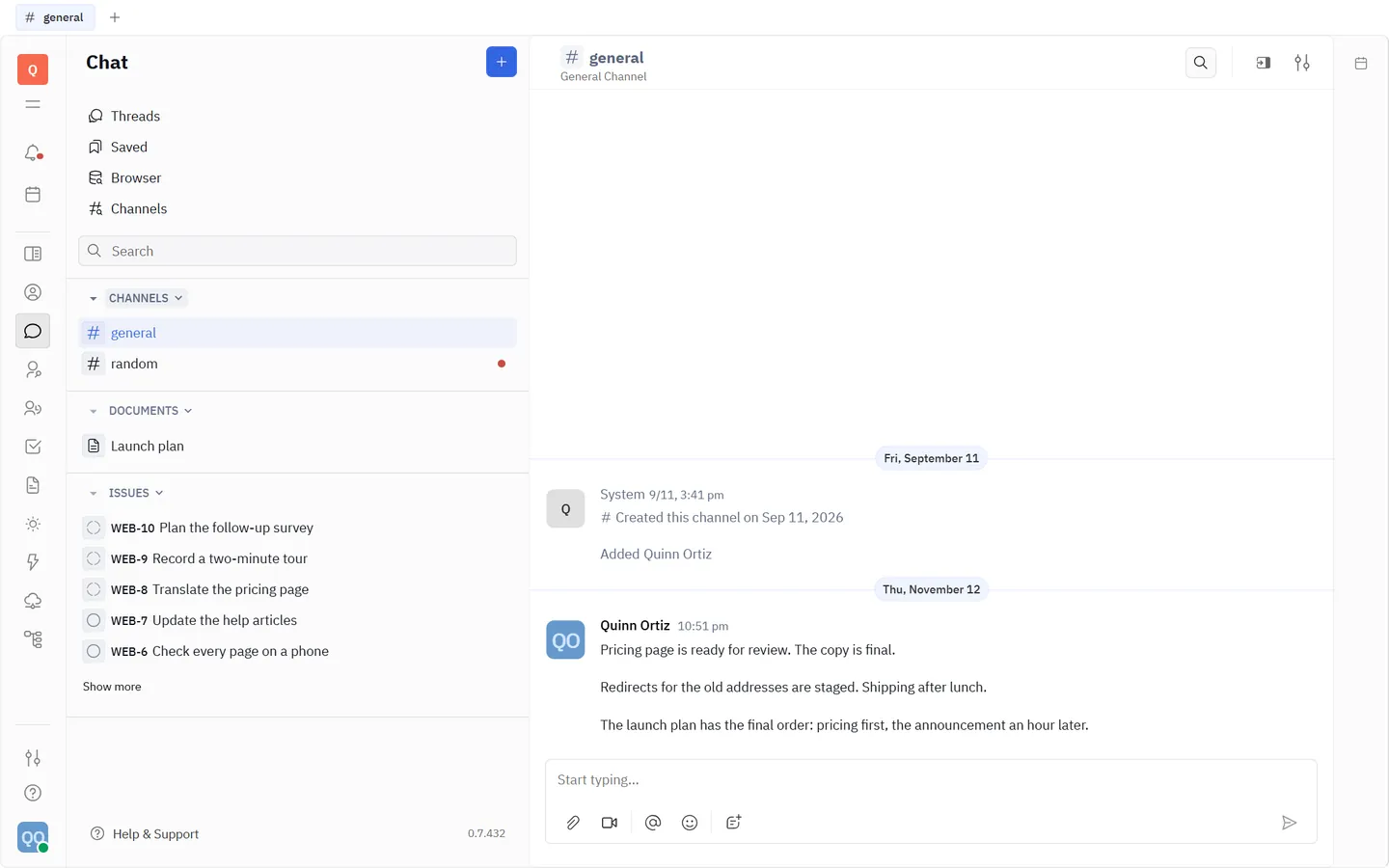
Keyboard
The actions you repeat all day have a key. Press Ctrl K (⌘ K on a Mac) anywhere for the list of actions; the complete list of shortcuts is in Help & Support and on its own page.
Measured
Anyone can say fast, accessible and private. These are counts taken by scripts, and this page is held to the same standard as the product.
One cold visit, measured on November 12, 2026.
Headless Chrome at 1440 × 900 with an empty cache. No consent banner, because there is nothing to consent to.
Gates a release of the app must pass.
From the release of November 11, 2026. The method is on the design system page.
Trust
Tridge is built on the Huly Platform, open source under the Eclipse Public License 2.0. Our changes to it stay under the same license, and the source of the version you use is yours to ask for.
Open sourceOne sign-in for the whole team through Exprezoe Identity, with a second step required. Nobody can register an account for themselves.
SecurityEncrypted in transit, backed up every night with an encrypted copy on a second server. No advertising, and the app loads nothing from an analytics or advertising network.
PrivacyChangelog
If your team already has a workspace, sign in. If it does not, tell us what you need and we will set one up with you.